 how-to
How to Improve Productivity at Home: 7 Steps That Work
Table of Contents
- How to Improve Productivity at Home: A 7-Step Plan
- Step 1: Build a Dedicated Workspace That Signals Focus
- Step 2: Set a Consistent Schedule and Daily Routine
- Step 3: How to Improve Focus Working from Home
- Step 4: Plan Your Day, Prioritize Tasks, and Set Realistic Goals
- Step 5: Use Breaks, Movement, and Boundaries to Sustain Energy
- Step 6: Measure What Works and Adjust Your Approach
- Signs You Need a Dedicated Office (and the Benefits of Private Office Space for Small Business)
- Frequently Asked Questions
Last Updated: October 7, 2026
How to Improve Productivity at Home: A 7-Step Plan
Learning how to improve productivity at home starts with one shift: stop treating your home like a workplace and start building a work zone inside it. This guide from Kiwi Offices walks through seven steps for remote workers, consultants, and small teams.
The core problem isn't laziness. It's that home and work share the same walls, chair, and interruptions. When your couch doubles as your conference room, your brain never gets a clean signal to switch on or off.
Step 1: Build a Dedicated Workspace That Signals Focus
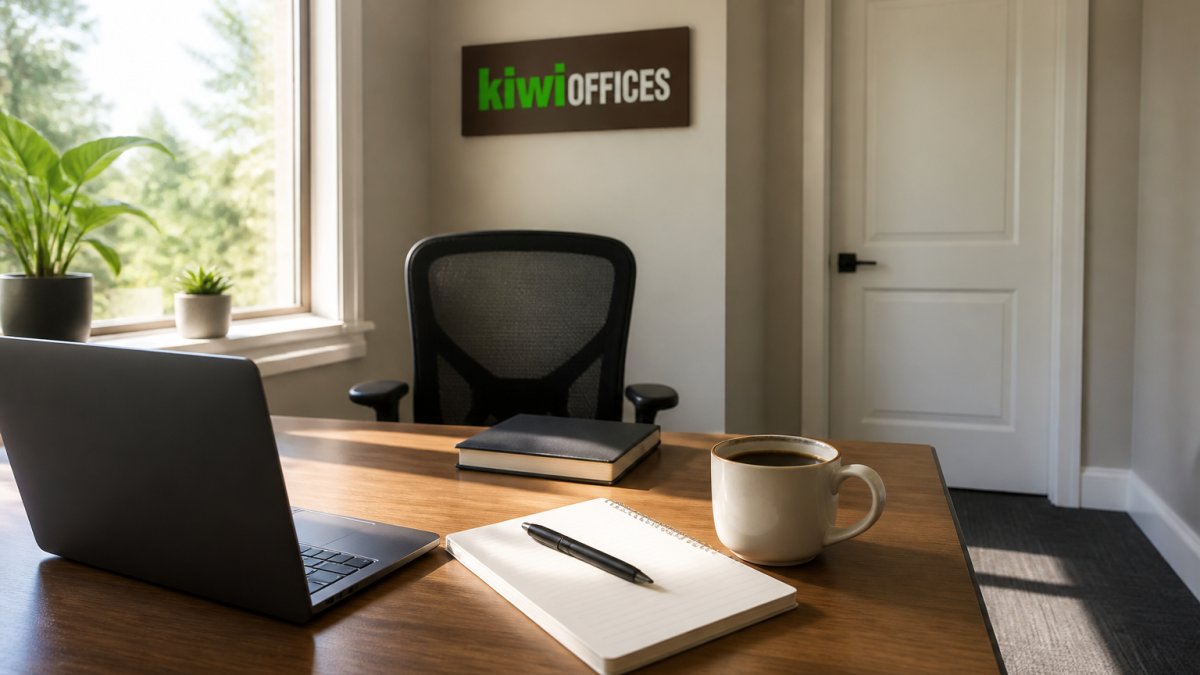
A dedicated workspace is a fixed spot used only for work, with a desk, proper lighting, and a door you can close.
Desk, Chair, and Lighting Basics
You don't need expensive gear. You need three things to line up:
- A desk at elbow height so your shoulders stay relaxed
- A chair that supports your lower back for long stretches
- Light that comes from the side, not behind your screen
Bad lighting causes eye strain by mid-afternoon, and that strain reads as tiredness.
Keep Work Items Separate from Personal Items
A common mistake is letting bills, mail, and laundry share the desk. Every personal item is a small pull away from the task at hand. Keep one drawer for personal stuff, and clear the surface each evening. Closing the laptop on a clean desk gives your day a visible end.
Step 2: Set a Consistent Schedule and Daily Routine
A consistent schedule means starting and ending work at the same times each day, with a short routine that marks the transition. Remote workers who keep fixed hours report steadier focus than those who drift. A short walk, a shower, and getting dressed signal "work mode" to your brain, skipping the commute removes the cue that used to separate work from home life.
Try this:
- Wake at the same time on workdays
- Get dressed as if you were leaving the house
- Do a five-minute review of your task list
- Start work at your set hour
- Shut down at your set hour, every day
The last step matters most. Without a hard stop, work bleeds into evenings and burnout follows.
Step 3: How to Improve Focus Working from Home
Improving focus at home comes down to two habits: protecting blocks of deep work and cutting digital interruptions. Together they decide whether your day produces real output or just noise, and home offers more distraction surfaces than any office ever did. Clearing physical clutter from your desk is just as vital as silencing notifications, as a clean environment helps you maximize office storage to maintain the mental clarity required for sustained concentration.
Time Blocking and the 3-3-3 Rule
Time blocking means assigning each hour of your day to a specific task before the day starts. The 3-3-3 rule is a simple version: three hours of deep work, three shorter tasks, three maintenance items.
- Deep work: writing, coding, planning, client proposals
- Shorter tasks: calls, emails, quick reviews
- Maintenance: admin, invoicing, filing
Give each block a single named outcome ("draft section 2," not "work on report"). Vague blocks invite drift because there's no clear finish line.
Managing Digital Distraction
Digital distraction is the biggest drain on home productivity. A phone on the desk cuts focus even when it's face down, so put it in another room during deep work blocks. Not all notifications are equal, though, sort them into three tiers:
- Tier 1, interrupt now: a call from your manager, a client escalation, a family emergency. Let these through.
- Tier 2, batch: email, most chat messages, project updates. Check in two or three windows a day.
- Tier 3, silence entirely: social media, news, shopping apps, non-work group chats. Turn these off during work hours, not just during deep work.
Then use the tools your devices already have. A phone's Focus or Do Not Disturb mode can allow Tier 1 contacts through while silencing everything else, and a full-screen writing mode hides the tabs and badges that pull attention. The goal isn't more apps, it's fewer surfaces competing for the same attention. Also try these:
- Close every tab you don't need for the current task
- Turn off desktop notifications during focus blocks
- Use a website blocker during your three deep hours
That last habit matters more than it sounds. Most distraction isn't boredom, it's a thought you're afraid to lose, and writing it down is faster than chasing it.
When Focus Still Breaks Down
If you've blocked time, silenced notifications, and still can't concentrate, the problem is usually one of three things: the task is too vague, the block is too long, or you're genuinely depleted. Shrink the task to a single next action, cut a three-hour block into three 50-minute blocks with short breaks, or treat rest as part of the work rather than a reward for finishing it.
Step 4: Plan Your Day, Prioritize Tasks, and Set Realistic Goals
Plan tomorrow before you finish today. A ten-minute review at the end of the workday removes the slow morning scramble and gives you a clear first task.
Prioritize with a simple rule: pick the one task that would make the day a win if nothing else got done. Do that first.
Set realistic goals based on what you actually finished last week, not on an ideal version of yourself.
| Planning Mistake | What It Costs You | Better Approach |
|---|---|---|
| 15-item daily list | Decision fatigue by mid-morning | One priority plus 2-3 secondary tasks |
| No time estimates | Overbooked calendar, rushed work | Assign each task a time block |
| Back-to-back calls | No room for deep work | Cluster calls into one window |
| No shutdown ritual | Work bleeds into evenings | Ten-minute review, then stop |
Step 5: Use Breaks, Movement, and Boundaries to Sustain Energy
Breaks are not lost time. They reset attention so the next block of work is sharper. Short, frequent breaks beat one long lunch for most people.
Try a five-minute break every hour:
- Stand and stretch your back and shoulders
- Walk to the kitchen for water
- Step outside for fresh air
- Look at something far away to rest your eyes
Add healthy snacks and steady hydration, both affect concentration more than most people expect, and a short walk after lunch beats a third coffee. Boundaries protect the routine: tell family and roommates your working hours, let calls go to voicemail during deep work, and end the day with a shutdown ritual.
Step 6: Measure What Works and Adjust Your Approach
Measuring productivity means tracking a few simple numbers, then changing what isn't working. Most advice on how to improve productivity at home fails because people never check whether it helped.
Track these for one week:
- Deep work hours completed per day
- Tasks finished versus tasks planned
- Energy level at 10 a.m., 2 p.m., and 5 p.m. (rate 1-5)
- Number of unplanned interruptions
At the end of the week, look for patterns. If your best focus lands at 7 a.m., move deep work there; if calls always break your afternoon, cluster them in the morning.
Adapt the Plan to Your Actual Situation
Generic advice assumes a quiet room and a flexible schedule. Most people have neither. Here's how the same principles bend to common setups:
- Caregivers with young kids: stop chasing long deep-work blocks. Trade them for two or three 25-minute blocks during naps, school hours, or after bedtime. Protect those blocks fiercely and move shallow work into the gaps.
- Shared homes and roommates: agree on quiet hours the way you'd agree on chores. Headphones are a boundary signal, when they're on, you're unavailable. Take calls from a parked car or a closet if you have to; a clear audio background matters more than a tidy one.
- Small apartments with no spare room: a folding desk, a lap desk, or a single dedicated chair can still create a work-only zone. What matters is that the spot is used for nothing else, and that you pack it away at the end of the day.
- Hybrid schedules: anchor your home days around the tasks that need quiet, and save collaborative work for office days. Don't try to run the same routine on both.
Know the Limits of Any Technique
Productivity techniques have limits. No routine fixes a workspace that can't support focus, and no schedule fixes a workload that's too large. When the numbers stay flat despite good habits, the problem is usually the setup, not your discipline.
Watch for the signs that the issue isn't scheduling at all:
- You're finishing your priority list and still feel behind every day
- You dread opening your laptop in the morning
- You're sleeping worse, snapping at people, or getting sick more often
- You feel isolated despite being on calls all day
Those are signs of overload or burnout, not poor time management. The fix is fewer commitments, not a better calendar: talk to your manager about workload, take real time off, and reach out to people outside work.
Signs You Need a Dedicated Office (and the Benefits of Private Office Space for Small Business)
You've outgrown home when client calls get interrupted, when the spare bedroom can't hold your team, or when you can't separate work from personal life no matter how many routines you try.
The signs are easy to spot:
- You take client calls from a coffee shop and lose the thread
- Your household can't stay quiet during meetings
- You have no professional business address for contracts and mail
- Your team of two to eight has no room to work together
For small businesses, the benefits of private office space go beyond a desk.
If you run a solo practice or a team of up to eight and you've hit the ceiling of what a home setup can do, the next step is simple.
Frequently Asked Questions
What is the 3-3-3 rule for productivity?
The 3-3-3 rule is a simple time-blocking method: spend the first 3 hours of your workday on your most important tasks, then 3 hours on meetings and collaboration, and the final 3 hours on smaller administrative work. It helps you protect deep work when your energy is highest and batch shallow tasks later. Try it for a week and adjust the blocks to match your natural focus patterns.
Why am I so unproductive at home?
Common causes include a workspace that doubles as a living area, unclear start and stop times, and constant digital interruptions. Without physical separation and a set schedule, your brain gets mixed signals about when to focus. Fix the basics first: set up a dedicated desk, define working hours, and silence non-essential notifications. If you still struggle, the problem may be your environment, not your willpower.
How can I create a professional boundary between home and work?
Create a physical and temporal boundary. Use a specific room or desk only for work, and close the door or put away work items at the end of the day. Set a firm stop time and a short shutdown routine, like reviewing tomorrow's top three tasks. A commute replacement, such as a 10-minute walk around the block, can also signal the transition from work mode to home mode.
What are the signs that you have outgrown your home office?
You have outgrown your home office when you regularly take client calls in shared spaces, struggle to separate work from personal life, or lack room for a growing team. Other signs include frequent interruptions from family, unreliable internet, and no professional address for meetings. If these sound familiar, a private office suite can give you the separation and setup you need without a long-term commercial lease.